


The Challenge of Making Viral Car Videos in the AI Age
Ever spent hours tinkering with text-to-video AI, only to end up with wonky car footage missing cinematic lighting, motion blur and true-to-life reflections?
Professional car videos once cost thousands in gear, required private track access and weeks of color work. Short-form platforms now demand grabbing visuals fast, and creator competition is fiercer than ever. Plain prompts produce mediocre results: distorted wheels, fake lens flares and muddled textures viewers scroll right over. Many prompt creators struggle. Without a proper framework, realistic luxury car motion shots are hard to pull off. How do top automotive creators rack up millions of views with smooth cinematic clips? The answer is custom prompts built for physically accurate camera movement and intricate reflections.
Use the Casa Tupka Anthemo AI Video Prompt to turn simple text into high-performing, hyper-realistic car reels. This guide explains what makes this prompt structure go viral, tests its performance across major AI video platforms, and shows how a1.art upgrades your workflow to pro standards.
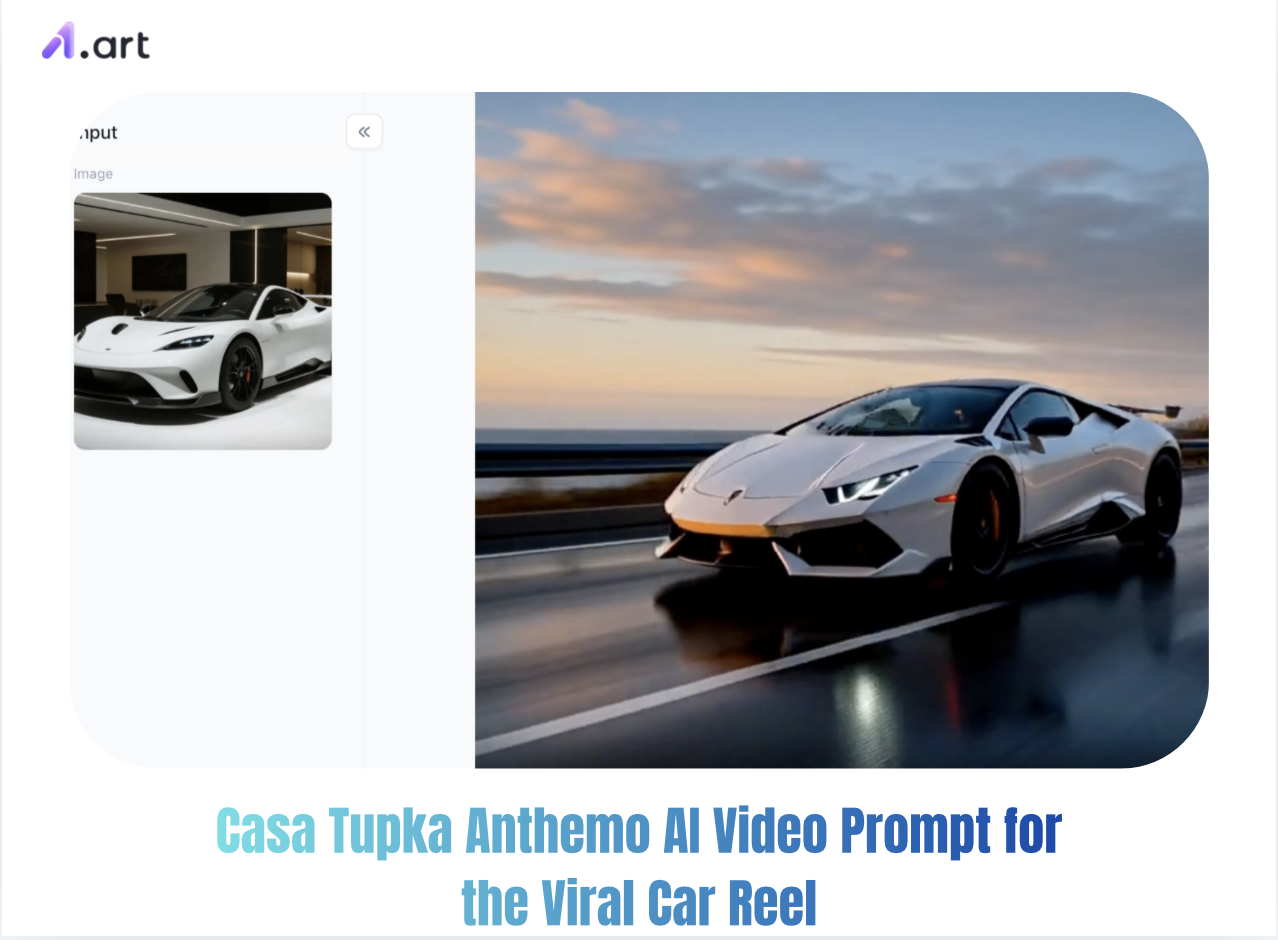
What Is the Casa Tupka Anthemo AI Video Prompt Style?
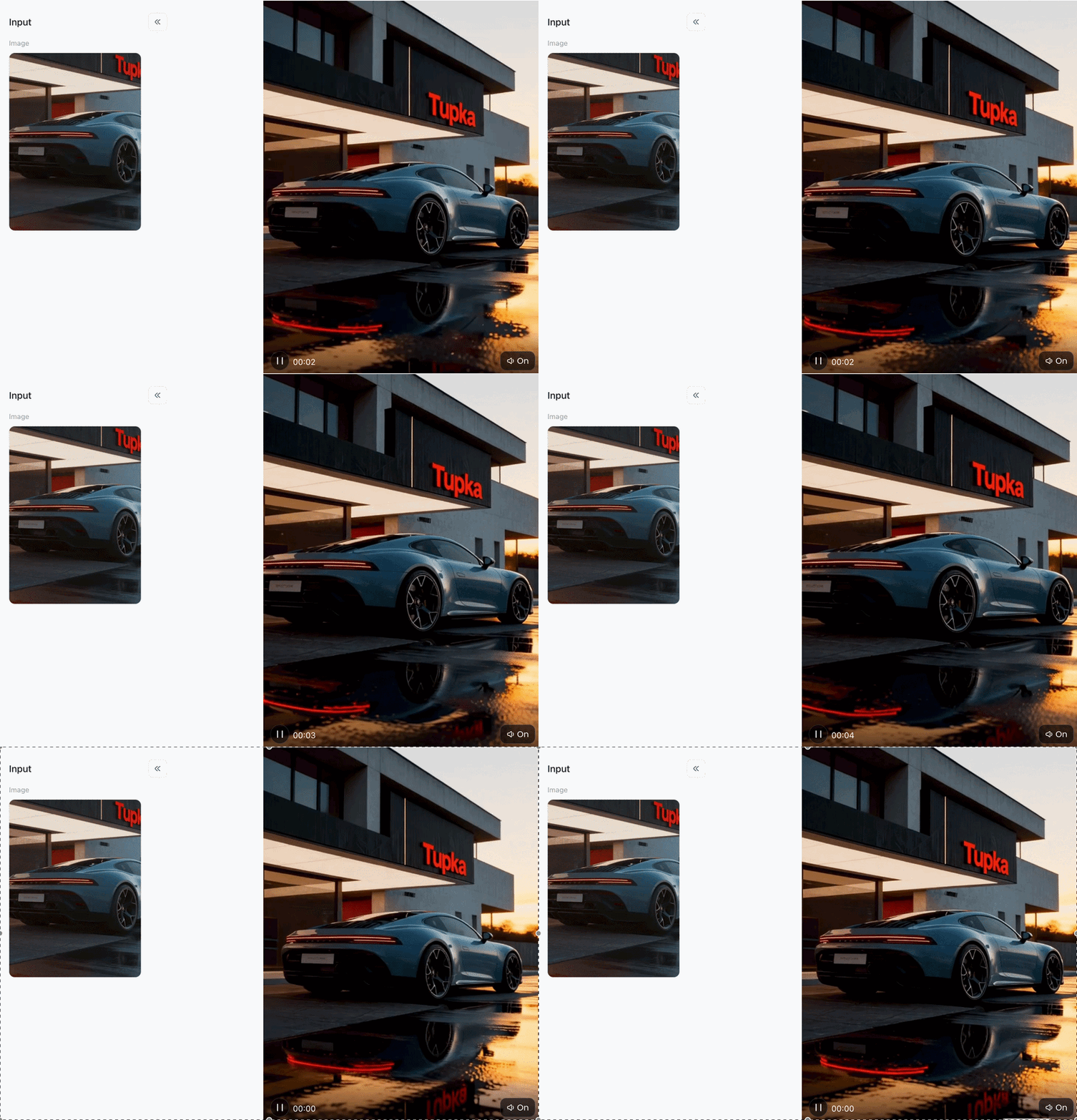
The Casa Tupka Anthemo AI Video Prompt refers to a highly coveted visual style in the AI content creation community. Named after brutalist architectural aesthetics and luxury art directions, this prompt framework combines dark, atmospheric lighting with ultra-high-definition ray tracing to produce cinematic automotive footage.
Unlike generic automotive prompts, the Casa Tupka Anthemo aesthetic focuses on three core visual pillars:
-
Architectural Contrast: Juxtaposing sleek metallic vehicle finishes against raw concrete, brutalist structures, and minimalist glass walls.
-
Atmospheric Illumination: Utilizing golden-hour shadows, volumetric fog, and wet-asphalt surface reflections to maximize depth perception.
-
Cinematic Physics: Emphasizing slow, sweeping pan shots and low-angle camera tracks that mimic real 35mm Hollywood film lenses.
Start your art journey with a1.art.
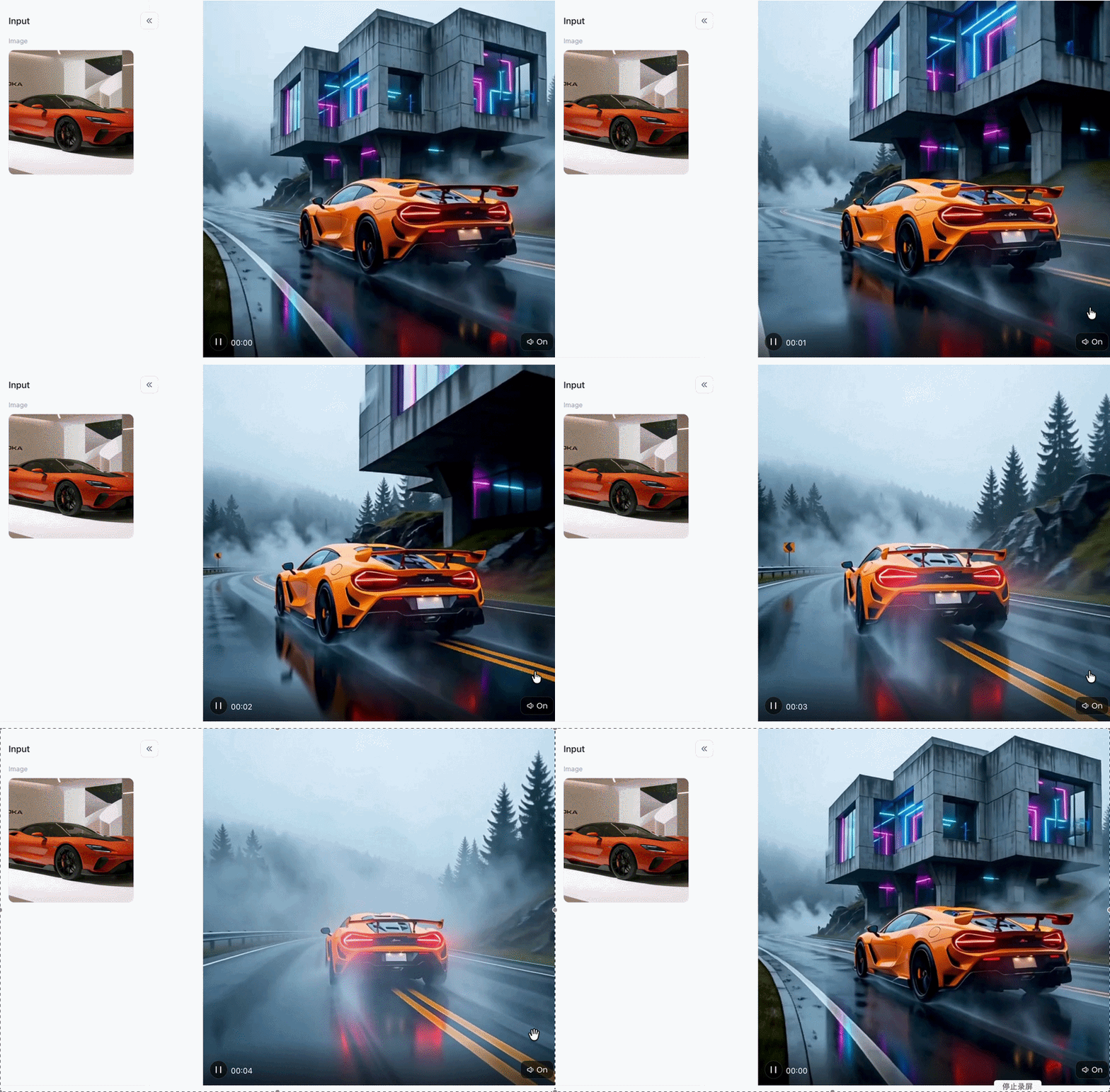
Click the image to instantly generate the Casa Tupka Anthemo AI video you want⬇️
What Is a1.art and Why It Works Better for AI Video Creation
a1.art is a top-tier AI image and video platform built for creators, marketers and digital artists. You can easily turn prompts or still pictures into hyper-realistic, movie-style video clips. With powerful rendering tech, a1.art handles physics, lighting and object geometry automatically. You get ready-to-use high-performance videos, no fancy software or deep technical skills required.
To understand how a1.art outperforms standard AI video tools, see the performance breakdown below:
| Performance Feature | Standard AI Video Generators | Advanced Workflow with a1.art |
| Wheel & Rim Symmetry | High rate of structural warping and deformation | High-fidelity physical precision with zero distortion |
| Motion Physics | Unnatural jittering, floating, or background blur | Smooth pan tracks, realistic camera acceleration |
| Surface Reflection | Static, flat lighting textures | Dynamic ray-tracing on wet pavement & metallic paint |
| Rendering Speed | Slow queue times (2–5 minutes per clip) | Ultra-fast rendering engine processing in seconds |
| Interface & Control | Requires complex code parameters | Intuitive, beginner-friendly UI with style presets |
How to Generate the Viral Style Step-by-Step
Creating a viral car reel requires combining the right prompt syntax with optimized workflow tools. Follow this step-by-step process to achieve peak visual performance.
Step 1: Choose your AI video prompt generator
While many creators search forums for raw code, using a dedicated Casa Tupka Anthemo AI video prompt generator helps you construct camera angles, lighting cues, and motion paths without the risk of manual coding errors. For instance, you can use a tool like a1.art,which we have featured, to assist with the creation process. If you prefer open-source scripts, browse the community repositories on the Casa Tupka Anthemo AI Video Prompt GitHub thread to access raw parameter settings and aspect ratio configurations.
Step 2: Generate the video you want directly using a1.art
To skip the tedious process of trial and error, simply visit a1.art. As an industry-leading AI visual generation platform, a1.art enables creators to input complex prompts or style references to generate high-quality base images and dynamic video clips. Its advanced rendering engine delivers exceptional performance, precisely rendering crisp metallic lines and OEM-standard geometric forms while ensuring an unobstructed view that preserves the integrity of the vehicle emblem and body panels.
Step 3: Register for an a1.art account and proceed with the next steps
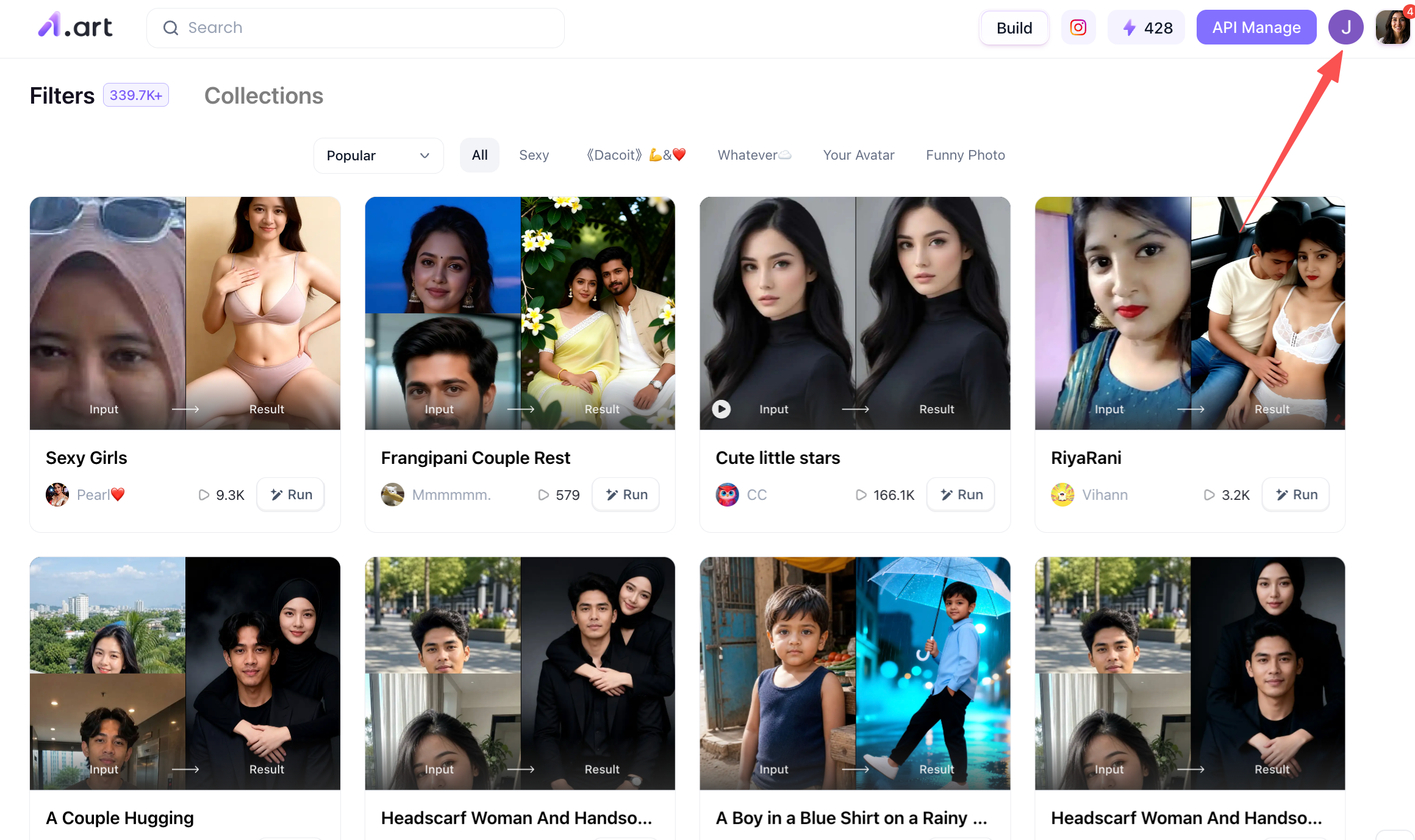
If you do not yet have an a1.art account, you will need to sign up for one first, as this is essential for using the platform to generate the "Casa Tupka Anthemo" AI video. The easiest way to do this is to visit the a1.art website and locate the user avatar in the top-right corner of the homepage; simply click on it to begin the registration process and follow the on-screen instructions.
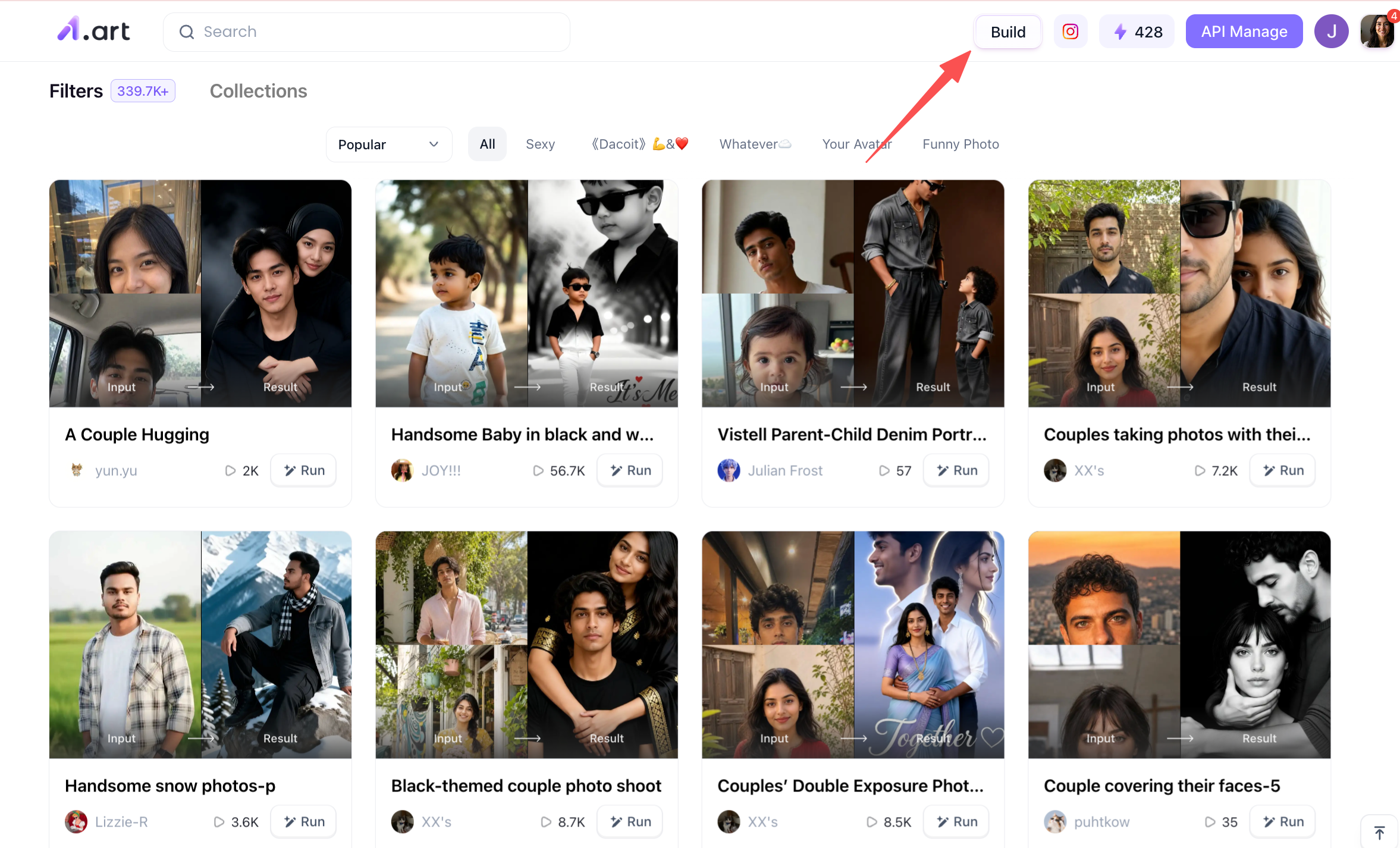
Once you have registered, you will see a "Build" button in the top-right corner of the homepage; this is the entry point for creating your videos.
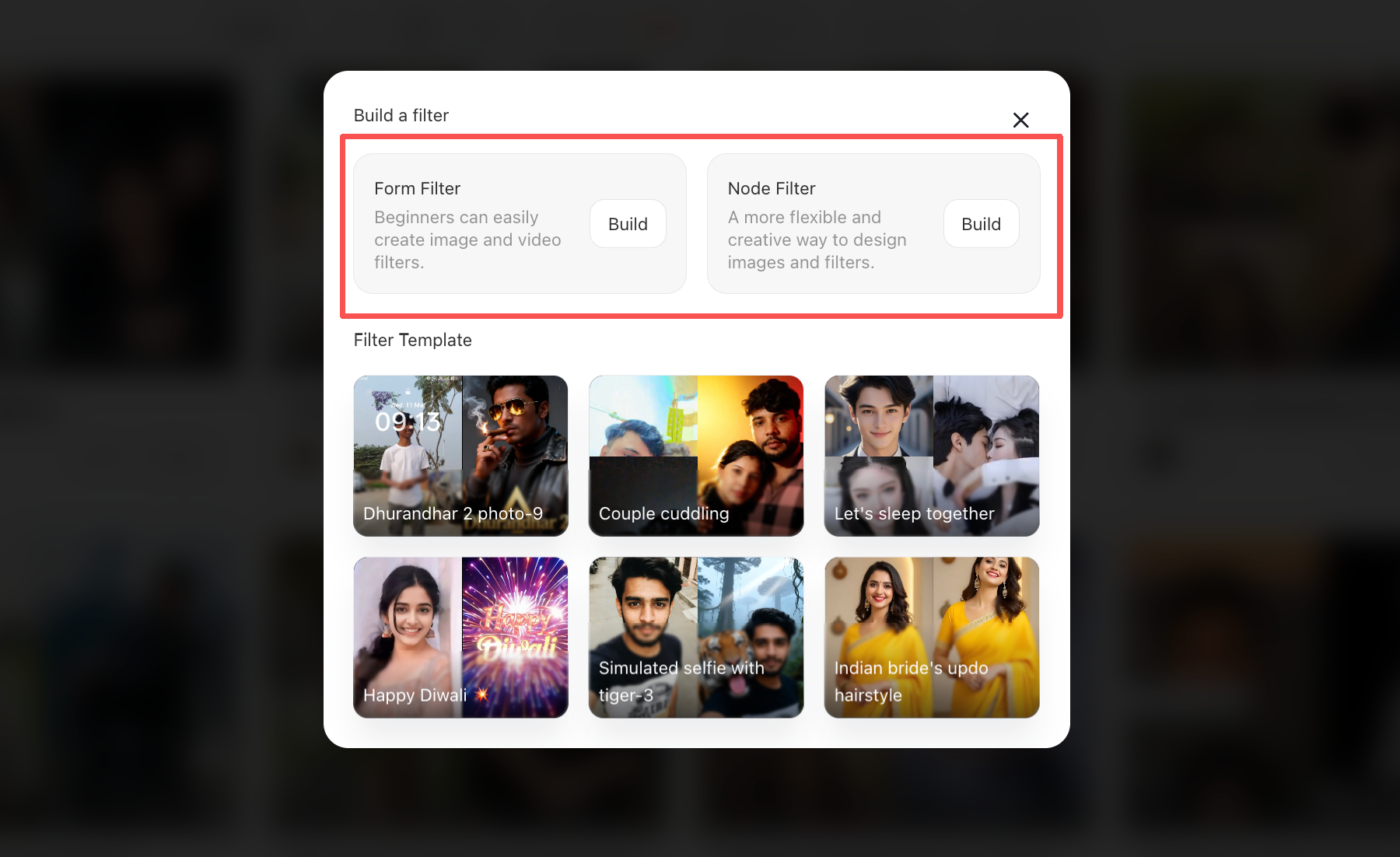
Once you click through, you will see two options: a form filter and a node filter. I recommend that beginners choose the one on the left, as it is simpler and easier to get started with.
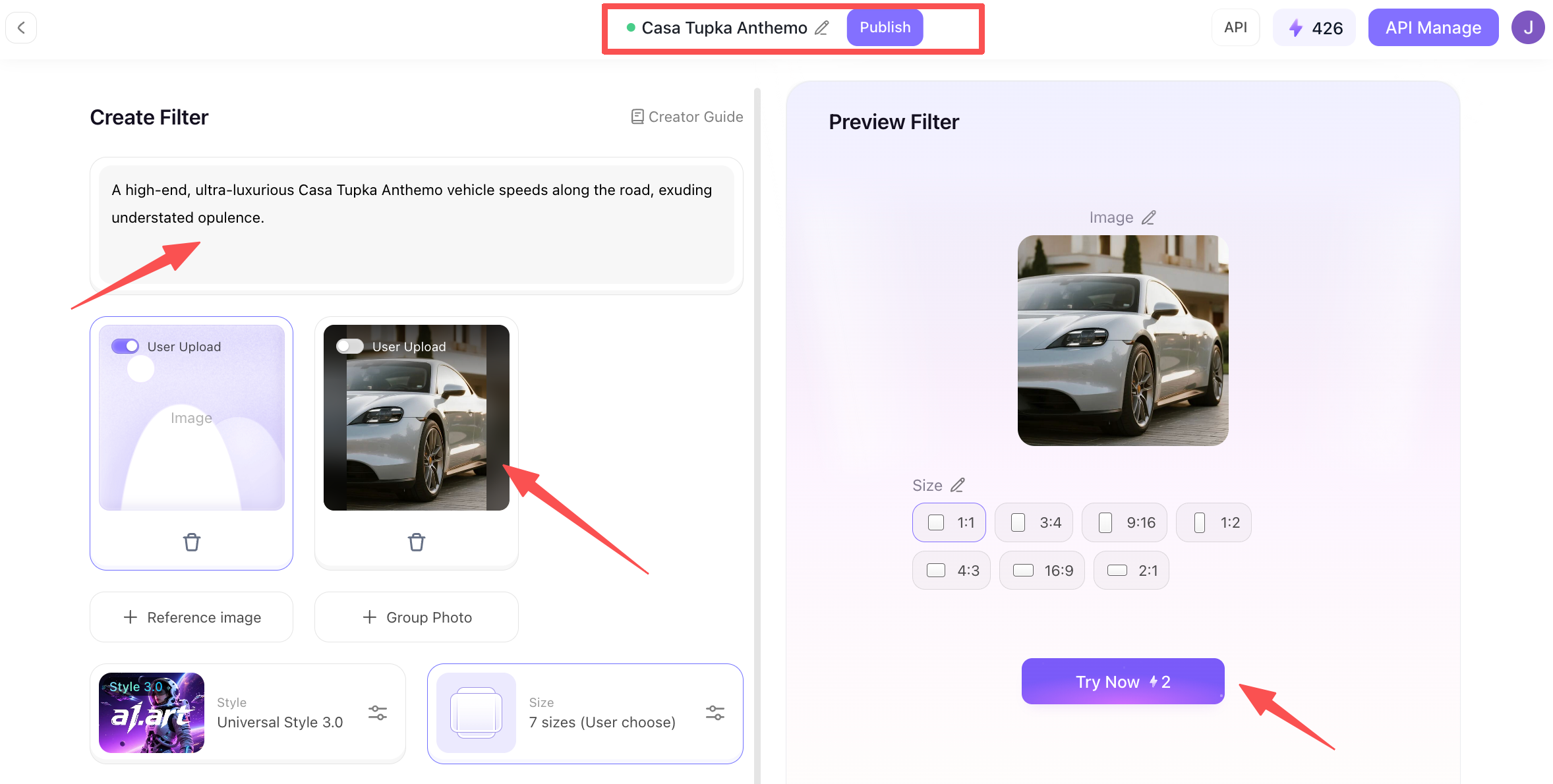
After clicking the option on the left, you will see the following page. At the very top is the name of the filter; you can give your "Casa Tupka Anthemo AI Car Video" a memorable title. In the top-left corner, you will find the input field for your "Casa Tupka Anthemo AI Video Prompt",simply enter a prompt that clearly describes the final look you want for the video. Further down, there is a section for uploading a photo; you can upload a high-end, luxury-style image of a race car or a luxury vehicle.
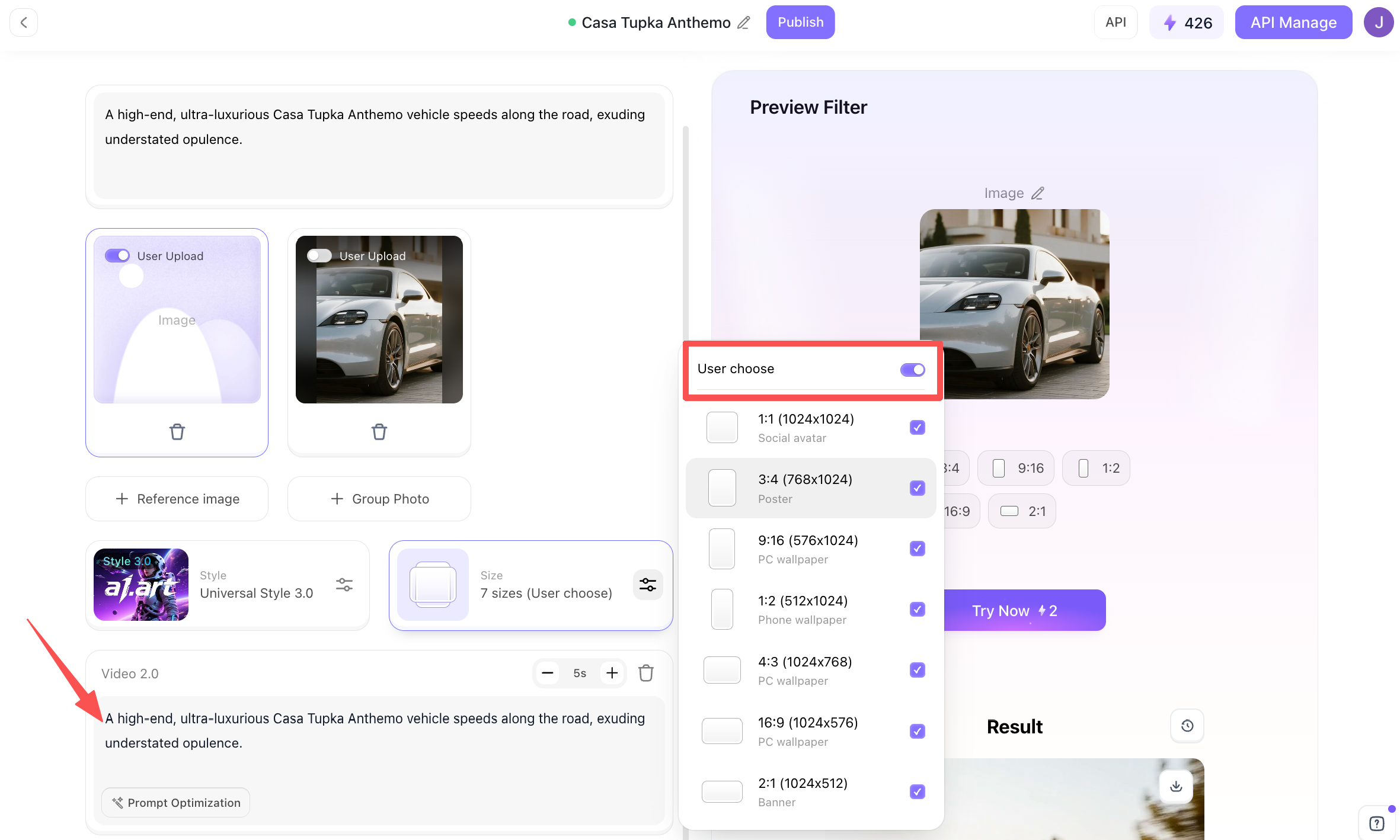
Moving further down, you’ll find a section for entering prompts; while these are similar to the ones mentioned earlier, they are specifically tailored for video generation. To the right, you can select the video dimensions,covering the full range of sizes a1.art supports. I recommend selecting all of them so you can meet the requirements of various social media platforms later on.
Once all the steps above are complete, you can click the "Generate" option on the right; Within just a few dozen seconds at most, you will have the full version of the Casa Tupka Anthemo AI video.
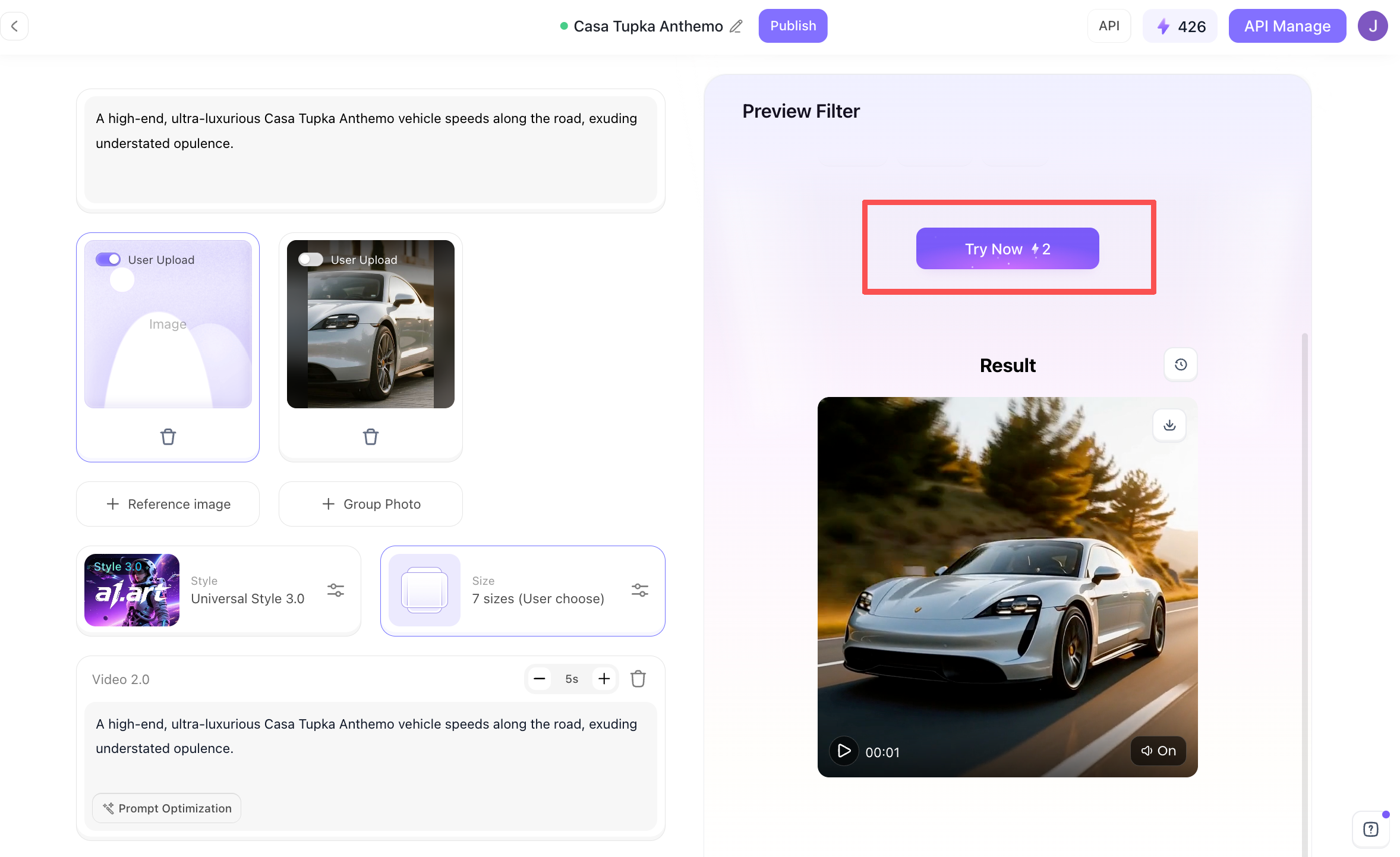
Next, let’s take a look at the final version of the Casa Tupka Anthemo AI video prompt for the viral car reel!
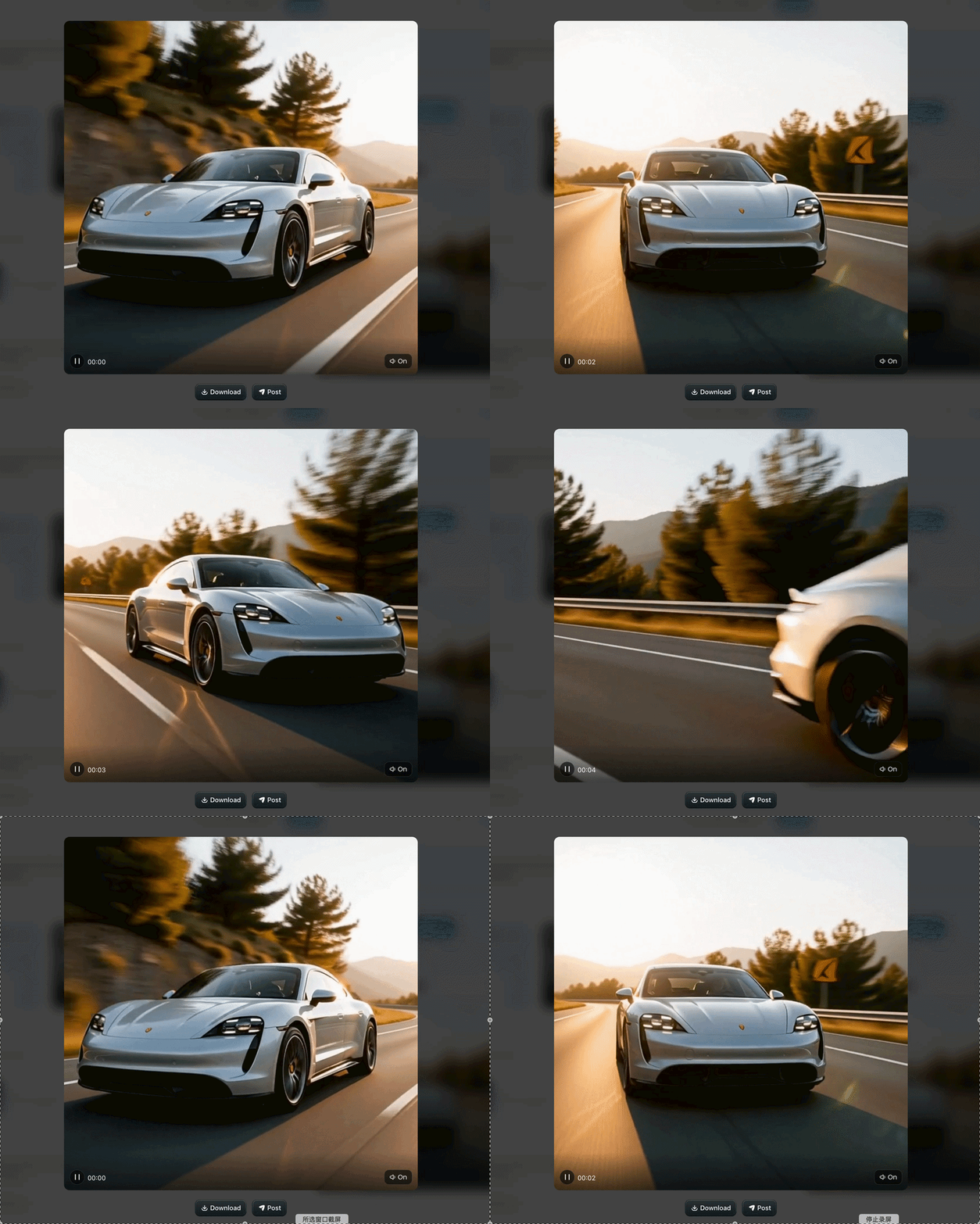
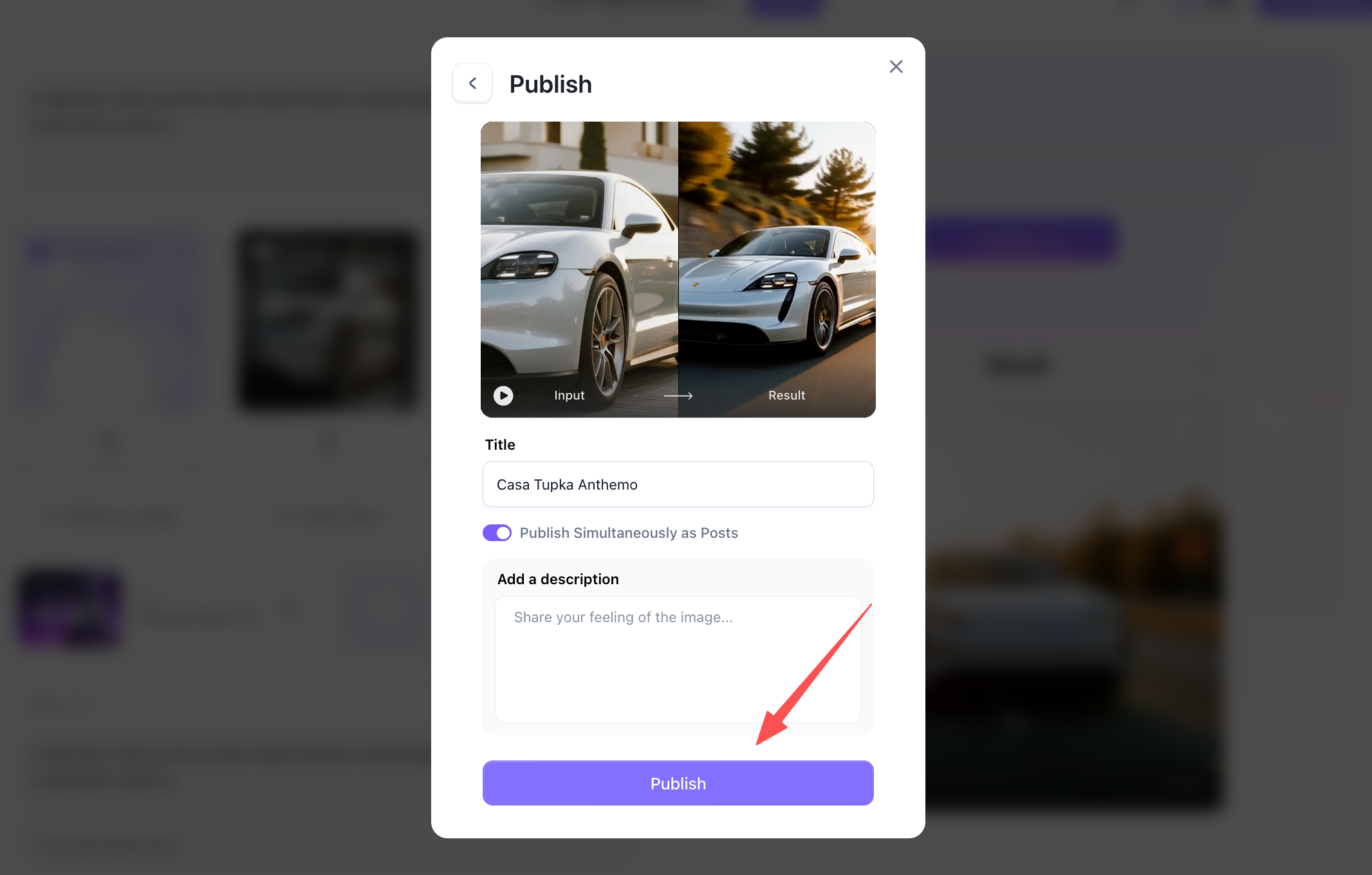
Once you are satisfied with the result, you can download it directly or click the publish option to share your "Casa Tupka Anthemo" AI video with the a1.art community.This way, other users can also use the Casa Tupka Anthemo AI Video you created.
Why Our Recommended Platform Gets Better Results
When picking AI generation tools for car content, creators always wonder: what makes our recommended platform stand out? It boils down to performance, image quality and ease of use.
-
Faster Rendering: a1.art uses high-power rendering nodes, generating videos up to 3x quicker than typical web tools, no long waiting queues. Sharp High Resolution: Native 8K textures and crisp edges, so your reels stay crystal clear on mobile screens.
-
True-to-Life Light & Physics: Properly calculates light on metallic paint, glass and wet pavement, no fake lens flares.
-
No Shape Distortion: Geometry lock stops warped rims, floating tires and distorted car body panels,a common flaw on cheaper AI tools.
-
Stable Framing: Smart object tracking keeps the car centered, free of weird glitches or blocked foregrounds. Trendy Visual Styles: Prebuilt styles optimized for Quiet Luxury and Cyber-Minimalism, matching what social audiences love right now.
Expert Tips for Going Viral with Automotive AI Reels
Even with a top-tier prompt, subtle editing adjustments can turn an average video into a viral sensation. Incorporate these practical Casa Tupka Anthemo AI Video Prompt tips into your post-production workflow:
-
Pair with Trending Low-Frequency Audio: Match slow-motion camera sweeps with Phonk, Slowed-and-Reverbed, or Cyberpunk ambient tracks. Sync visual cuts to heavy bass drops for maximum engagement.
-
Leverage Community Insights: Check discussions around Casa Tupka Anthemo AI Video Prompt redditforums to stay updated on emerging camera movement modifiers and negative prompt hacks.
-
Apply Subtle Color Grading: Import your raw AI video clip into editing software like CapCut or Premiere Pro. Increase contrast slightly, boost teal-and-orange midtones, and add a mild 35mm film grain overlay to enhance the cinematic feel.
-
Maintain Subject Consistency: Use consistent vehicle color codes and environmental prompts across multiple scenes to create a cohesive multi-clip story reel.
Conclusion
Mastering the Casa Tupka Anthemo AI Video Prompt gives digital creators and social media marketers a powerful edge in creating viral, high-converting short-form video content. By combining brutalist architecture with cinematic lighting and realistic vehicle motion, you can consistently capture audience attention. Utilizing high-performance tools like a1.art guarantees that your final reels remain ultra-sharp, physically realistic, and free of visual distortion, paving your path to social media success.
FAQs
What makes the Casa Tupka Anthemo prompt style unique?
The style focuses on combining brutalist architecture, wet-pavement reflections, and moody golden-hour lighting with low-angle supercar camera tracks, creating a luxury aesthetic that drives high retention on social media.
Can I generate high-quality AI car reels without coding experience?
Yes. Platforms like a1.art streamline the generation process by offering intuitive style presets and fast image-to-video workflows that require no programming knowledge.
How do I prevent AI car wheels from warping during video motion?
Warping occurs when motion vectors confuse vehicle geometry. Using advanced generation engines with high physical precision,such as a1.art,ensures stable rim geometry and smooth rolling physics.
Read more
- 9 Best Porn Face Swap Tools Online Free 2026
- AI Jewelry Photography: How to Create Product and Model Photos
- Top 12 AI Cinematic Portrait Generators for Movie-Style Photos
- How to Add a Person to a Photo and Make It Look Natural
- How to Fix Closed Eyes in a Photo Using a Reference Picture
- 10 Best Secret Desires AI Alternatives in 2026
- Best Remini Alternatives for Photo Enhancement in 2026
- Secret Desires AI Review 2026: Is It Free, Safe and Worth It?
- How to Remove Glare from Glasses in Photos with AI
- How to Do the 80s AI Photo Trend with Your Own Photo
Written by

a1.art
Published on
Oct 7, 2026
Share article


